Which portable mini photo printer should you choose?
Last update: 06/23/2026
Our blog continues to grow thanks to you, our readers. This post may contain affiliate links, which means we can earn a small commission if you make a purchase through them, at no extra cost to you. This helps us to continue to bring you more and support our work!
Hello, I’m back with an article that might surprise you a little. Today, we’re changing gears completely! I’m going to talk about an accessory that has become much more popular in recent years: portable photo printers. They already existed back in 2013, when I traveled through Southeast Asia, but at the time they were still fairly rare and the print quality was pretty average. Since then, things have come a long way!
Still with the idea of sharing photo gear that stays within a reasonable budget, I had also written an article on the best instant cameras. We’ve recently updated it.
In my opinion, portable printers are genuinely useful little accessories, especially when you travel. They let you print a photo straight from your smartphone or your advanced compact camera. I’d even say they’re a lovely way to leave a memory with the people you meet along the way: other travelers, locals, or people you cross paths with far from the usual tourist routes. And with children, a printed photo is always a sweet keepsake. You can also use one at a family meal or during a weekend with friends. In short, it’s the kind of accessory that can be useful in everyday life, at events, and on trips.
Since that’s what you came for, here’s my full guide to the best portable photo printers of the moment!
A tablet can also be very useful for storing, editing, or printing your photos when traveling. Check out our guide to the best iPads.
The best portable photo printers
Canon mini portable printers
Canon SELPHY QX20 Photo Printer
Announced in September 2024, the Canon SELPHY QX20 is a portable photo printer that uses dye-sublimation technology. The process works through several color passes, then adds a protective coating, producing sharp, clean prints that hold up well against water and fingerprints. The big upgrade over the QX10 is the choice of two formats: square prints or card-size prints. It connects via Wi-Fi and charges over USB-C.
Battery life is rated at around 20 prints per charge. Its size and weight remain very reasonable, even if it is a little bulkier than some ZINK-based competitors. You also get the SELPHY Photo Layout mobile app for edits, collages, text, borders, and a few creative layouts.
Designed mainly for everyday creativity, the QX20 is a great fit for scrapbooking, travel memories, and events where you want to hand out small printed photos. It’s also very easy to use, so you don’t need to be an expert to get nice results. Print quality is one of its real strengths, especially for such a compact printer.
In short, the SELPHY QX20 ticks a lot of boxes: simple handling, an intuitive app, two print formats, and pleasing color output. Its main limits are practical ones: you need to use the right paper and ribbon set for each format, and the tray only holds 10 sheets. If that doesn’t bother you, the QX20 is one of the strongest options in this compact printer category.
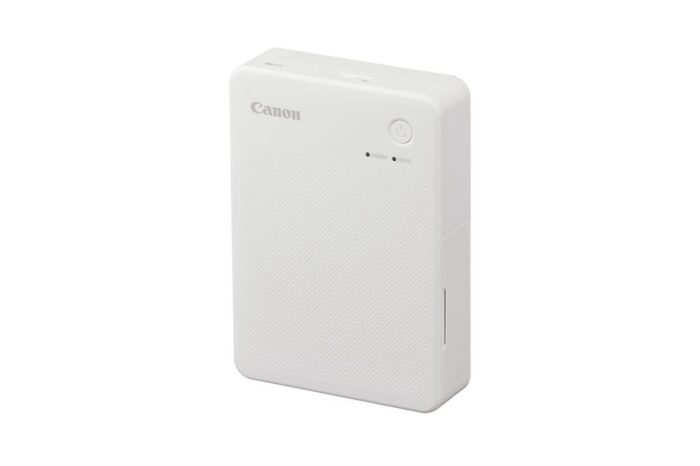
Canon SELPHY QX20 portable photo printer
Papers to use for Canon SELPHY QX20:
- Canon XS-20L (Square Sticker Paper): square format 72 × 85 mm with writable border
- Canon XC-20L (Card-size Sticker Paper): card format 54 × 85 mm
Canon Zoemini 2 Photo Printer
Available since November 2022, the Canon Zoemini 2 is a pocket-size photo printer that uses ZINK technology, meaning the color is built directly into the paper. Compared with dye-sublimation models like the SELPHY range, it avoids cartridges altogether, which helps keep the printer much slimmer. Image quality has improved over the previous generation, with a resolution of 314 × 500 DPI instead of 314 × 400 DPI. It connects via Bluetooth 5.0.
Its dimensions make it genuinely easy to slip into a bag and take almost anywhere. It uses sticker paper in two formats: the classic 5 × 7.6 cm sheets and round stickers with a 33 mm diameter. The Canon Mini Print app has improved too, with more creative tools such as filters, collages, stickers, and layouts.
The Zoemini 2 is mainly aimed at creative users who like printing small memories to share. It works well at parties, events, family moments, or while traveling. Its biggest strengths are clearly its size, simplicity, and ease of transport.
So if compactness is your priority, the Zoemini 2 remains a very good option. Just keep in mind that ZINK prints are not as detailed or color-faithful as dye-sublimation prints. For casual, fun use, though, the quality is still perfectly acceptable.
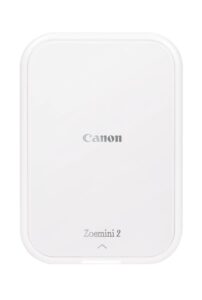
Canon Zoemini 2 portable photo printer
Papers to use for the Canon Zoemini 2:
Canon SELPHY Square QX10 Photo Printer
Announced in February 2020, the Canon SELPHY Square QX10 is the older model that the QX20 later succeeded. It also uses dye-sublimation technology, but unlike the newer QX20, it prints only in square format (6.5 × 6.5 cm). Its process uses three color passes plus a protective coating, giving you clean, durable prints. It connects only over Wi-Fi, charges via micro-USB, and offers around 20 prints per charge.
In terms of size, it’s still fairly compact, but it is more of a small-bag printer than a true pocket printer. It works with the Canon SELPHY Photo Layout app, which is useful for customizing your small keepsake prints. Printing is fairly quick, at around 45 seconds per photo.
The QX10 still makes sense if you find it at a very good price and only want square prints. Its image quality remains clearly above most ZINK models, and the result has a more polished look. However, the QX20 is now the more versatile choice because it adds a second print format, USB-C charging, and slightly better practical handling.
In a few words, the QX10 is still a good compact dye-sublimation printer, but it is no longer the one I would prioritize first. If the price gap is small, I’d choose the QX20 instead. If you find the QX10 discounted, though, it can still be a very solid option.
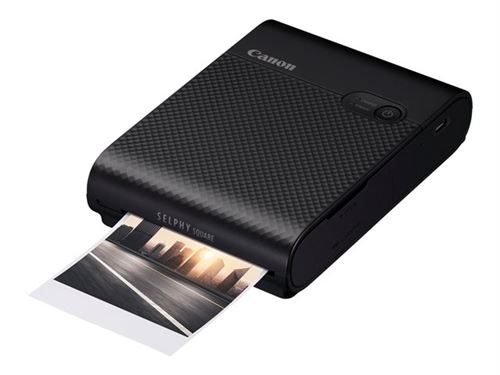
Canon SELPHY Square QX10 Photo Printer
Paper recommended for this printer:
- Canon XS-20L square paper: 68 mm × 68 mm
Kodak mini portable printers
KODAK Mini 2 Era Photo Printer
The KODAK Mini 2 Era is the more recent 2.1 × 3.4-inch model in Kodak’s compact 4PASS range. It uses dye-sublimation printing with a protective laminated layer, which gives you more durable, cleaner-looking prints than most ZINK printers. The format is close to a credit card, and the printer connects via Bluetooth. It also now uses USB-C, which is much more convenient than older portable-printer designs.
Design-wise, the Mini 2 Era keeps Kodak’s colorful, retro-inspired look while staying compact enough to carry easily. It is designed to be simple and accessible, with the KODAK Photo Printer app offering filters, cropping, stickers, templates, and other quick editing tools.
In practice, the Mini 2 Era is well suited to anyone who wants small printed memories without sacrificing too much image quality. The format works nicely for albums, travel journals, scrapbooking, or little prints to give away after a shared moment.
In conclusion, the KODAK Mini 2 Era is a very good alternative to ZINK and Instax models if you want a compact printer with more durable dye-sublimation output. It keeps a fun design, remains easy to transport, and offers a nice compromise between print quality and creativity.
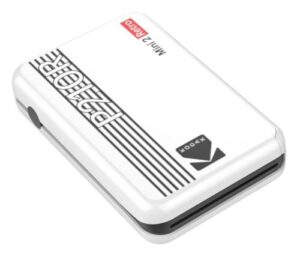
KODAK Mini 2 Era Photo Printer
Cartridge to use for this model:
- 4PASS film cartridge for Mini 2 Era / Mini 2 Retro format
KODAK Mini 3 Era Photo Printer
The KODAK Mini 3 Era follows the same idea as the Mini 2 Era, but in a square 3 × 3-inch format. It also uses 4PASS dye-sublimation technology, with a protective layer that helps resist fingerprints and moisture. The difference is mainly the print format: the Mini 2 Era prints in a credit-card style, while the Mini 3 Era focuses on square prints. It connects via Bluetooth, works with the KODAK Photo Printer app, and charges via USB-C.
It remains compact, although naturally a little larger than the 2.1 × 3.4-inch version. The design keeps Kodak’s playful retro touch, and the app makes it easy to crop, add filters, include stickers, or create simple layouts. Print quality is clearly more convincing than most ZINK models, especially if you care about color and durability.
The Mini 3 Era is aimed at anyone who prefers square prints for albums, scrapbooking, event memories, or small decorative displays. The format gives it a more distinctive look than the classic credit-card print, and it is still easy enough for teens and adults to use without any real learning curve.
To sum up, this printer is a strong option if you want a compact square-format printer with good print quality. It is simple, fun, and well suited to events or travel memories. Just remember that the square format is a deliberate choice, so make sure it matches what you want before ordering.
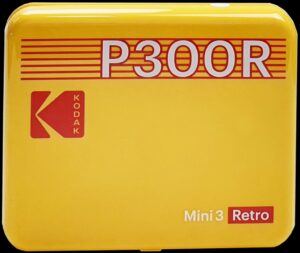
KODAK Mini 3 Era Photo Printer
Recommended cartridge for this printer:
- Kodak 3 × 3-inch 4PASS cartridge / paper set
Kodak Mini Photo Printer
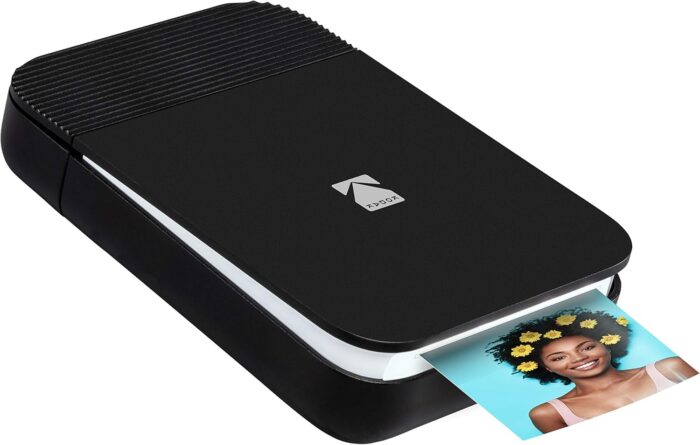
The Kodak Mini is an older portable dye-sublimation printer. It produces credit-card-size prints and was designed around wireless use, with app-based printing and customization. Compared with today’s Mini 2 Era and Mini 3 Era models, however, it now feels less current, especially in terms of connectivity and overall handling.
Its main advantage remains its compact format and the more polished look of dye-sublimation prints compared with most ZINK printers. It can still fit into everyday use, whether for travel, parties, or simple printed memories. Print speed is not the fastest, so expect to wait a little longer than with some newer models.
In terms of image quality, it still has the advantage of more durable, better-looking output than many entry-level inkless printers. Colors are generally more satisfying, and the finish handles fingerprints and humidity better than basic ZINK paper.
Clearly, the Kodak Mini can still be interesting if you already own one or find it at a good price. But if you’re buying new today, I’d mainly compare it with the more recent KODAK Mini 2 Era or Mini 3 Era, which are easier to recommend in 2026.
Kodak Mini Photo Printer
Cartridge to use for this printer:
- Kodak Photo Printer Mini cartridges
Instax mini portable printers
Fujifilm Instax Square Link Photo Printer
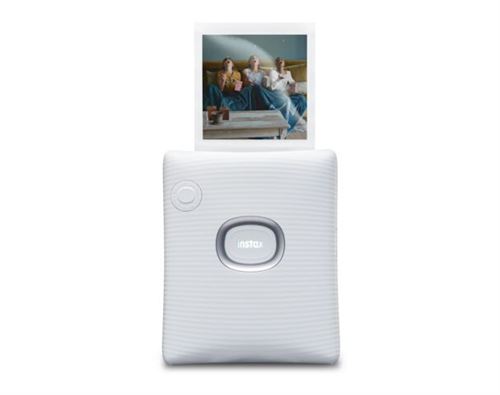
Released in November 2022, the Fujifilm instax SQUARE Link prints only in square format, with an image area of 62 × 62 mm. It uses real instax SQUARE film, so the result has that familiar instant-photo look rather than the sharper, cleaner finish of dye-sublimation. It’s also much lighter than most Kodak dye-sub printers, at around 236 g, and remains very easy to carry. It connects via Bluetooth and charges by USB-C. Battery life is strong too, with up to around 100 prints per charge.
One of its biggest strengths is the dedicated instax app, which pushes customization quite far: cropping, filters, AR effects, instax Connect, QR-style options, and playful layouts. You also get two color profiles: rich for stronger tones and natural for a softer, more classic instax look. Print resolution is listed at 318 DPI, which is perfectly fine for this format, even if the result stays less precise than dye-sublimation.
This printer is designed for users looking for a good balance between creativity and simplicity. It is easy to handle, has a clean modern design, and works well when you want to print memories live during a trip, party, family moment, or creative project.
In conclusion, the SQUARE Link fits perfectly into Fujifilm’s instax universe, with its design, instant film, and retro rendering. If you care more about creativity and atmosphere than maximum print sharpness, it remains a very nice option. The result is not as precise as a dye-sublimation print, but that is also part of its charm.
Fujifilm Instax Square Link Photo Printer
Paper compatible with this printer:
Fujifilm instax mini Link+ Photo Printer
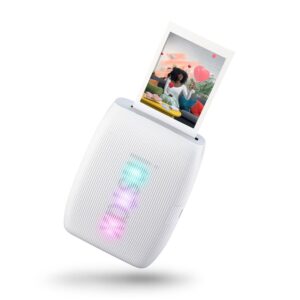
Launched in January 2026, the Fujifilm instax mini Link+ is now the more premium model in the instax mini printer range. It still prints on credit-card-size instax mini film and keeps the instant-film rendering that gives Fujifilm printers their charm. It connects through the instax mini Link app, uses Bluetooth, and keeps the fast instax workflow: the print comes out quickly, then develops over roughly 90 seconds.
Design-wise, the mini Link+ feels a little more polished than the mini Link 3. Its main upgrade is the new Design Print mode, designed to reproduce fine patterns, text, and small details more clearly. The app also keeps the fun features that make this range so popular: frames, filters, collage options, video stills, and playful effects such as instax AiR Studio.
The mini Link+ is aimed at users who like the instant-film look but want a slightly more refined printer than the standard mini Link 3. It is easy to carry, fun to use at events, and well suited to family moments, travel memories, scrapbooking, or creative prints to share.
To sum up, the Fujifilm instax mini Link+ is not as precise as a dye-sublimation printer, but that is not really its goal. It focuses on charm, speed, creativity, and that unmistakable instax feel. If you like the mini format and want the most current Fujifilm printer in this category, it is the one I would look at first.
Fujifilm instax mini Link+ Photo Printer
Paper to use for this printer:
Fujifilm Instax Link Wide Photo Printer
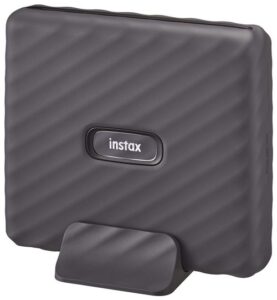
As its name suggests, the Fujifilm instax Link Wide produces instant prints in the wide format (film size 108 × 86 mm, image area 99 × 62 mm). Based on instax technology, it connects to a smartphone via Bluetooth. Battery life can reach around 100 prints per charge. Its size and weight remain reasonable enough for a bag, although it is noticeably bulkier than mini or square models. Printing is very fast, but you still need to wait a few minutes for the image to fully develop.
The dedicated Link Wide app, compatible with iOS and Android, is easy to use and offers several creative options: filters, emojis, frames, QR codes, and even audio messages embedded in a photo. You can also duplicate the same image several times, which is practical for events. Color rendering is one of its strengths within the instax range, even if the result is still not perfect, especially with some yellow tones.
This printer suits both retro-photo lovers and users who want larger, more expressive instant prints. The Wide format is especially nice for portraits, landscapes, group shots, and travel memories. It does not offer the precision of a dye-sublimation printer, but its analog-style rendering is exactly what makes it appealing.
You’ve got it: with the instax Link Wide, you get a simple, fun printer with good battery life and a larger print format. The cost per photo is fairly high, but if you like the Wide format, it remains an excellent option.
Fujifilm Instax Link Wide Photo Printer
Paper compatible with this printer:
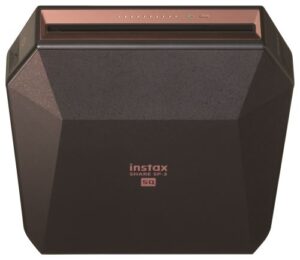
Fujifilm Instax Share SP-3 portable photo printer
Launched in November 2017, the Fujifilm instax Share SP-3 is clearly the oldest printer in this selection. It is aimed at fans of square instant prints and uses instax SQUARE film, which gives photos a retro look in the spirit of classic instant photography. The square format is still great for creative compositions, scrapbooking, and small printed memories.
Connectivity is the part that has aged the most. The SP-3 works over Wi-Fi, which was perfectly fine when it came out, but feels less convenient today than the Bluetooth workflow on newer Fujifilm printers. It also lacks USB-C and does not benefit from the more recent direct-print ecosystem Fujifilm is adding to some newer cameras and instax printers. Some users also report less stable connections.
Image quality remains pleasant, with the soft, matte instax rendering that many people like. Battery life is still good, at around 100 prints per charge, and the consumable cost remains in line with the rest of the instax SQUARE range.
In a few words, the Fujifilm instax Share SP-3 is no longer the most modern recommendation, but it can still make sense if you find it secondhand or at a very good price. If you’re buying new, I’d look first at the instax SQUARE Link, which is more current and much easier to live with.
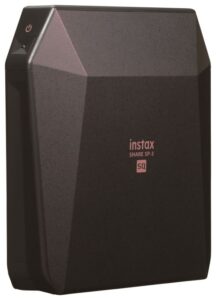
Fujifilm Instax Share SP-3 portable photo printer
Paper recommended for this printer:
Agfa Photo mini portable printers
Portable Photo Printer - AgfaPhoto Realipix MINI P
Launched in 2021, the AgfaPhoto Realipix Mini P is compact enough to fit in a pocket. It uses ZINK technology and prints in 5 × 7.6 cm format, without ink or cartridges, because the color is built directly into the paper. The paper is also water-resistant and has a self-adhesive back, which is handy if you want to stick your memories in a notebook, album, or travel journal.
Battery charging is simple via USB, and the design stays discreet and easy to carry. Between its small size and its portability, it can easily come along on trips. The companion app offers useful customization options such as filters, text, stickers, and simple cropping tools.
image
Performance is mainly geared toward casual use. User feedback is generally positive for ease of use, light weight, and creativity. Like most ZINK printers, though, color rendering is not perfectly faithful, so you should see it more as a fun printer than a high-quality photo printer.
In short, the AgfaPhoto Realipix Mini P remains an affordable, fun, and intuitive option. If you want a simple creative printer for casual memories rather than highly accurate photo output, it can still be worth considering.
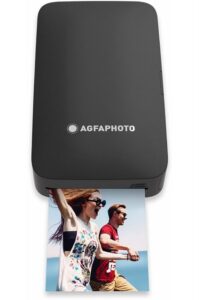
Portable Photo Printer – AgfaPhoto Realipix MINI P
Cartridges available for this printer:
- AMC20, AMC30 or AMC50 (the digits after “AMC” correspond to the number of prints, to be chosen according to your needs).
Portable Photo Printer - AgfaPhoto Realipix SQUARE P
The AgfaPhoto Realipix Square P stands out with its square 7.6 × 7.6 cm prints. It is compact, reasonably light, and uses 4PASS dye-sublimation printing. That gives you a more durable, better-looking result than most ZINK printers, with colors that are generally more convincing.
Its design is clean and minimalist, with a small LED screen to monitor printer status. Depending on the pack, it may include a starter cartridge, which lets you try it as soon as it arrives.
In use, it’s intuitive and easy to handle. It suits a creative, mobile audience looking for trendy square prints with better quality than basic inkless printers. Its main limitation is still the availability of specific cartridges, which can be inconsistent depending on the retailer and country.
In two words, the AgfaPhoto Realipix Square P is an interesting printer for creative square-format photos. I simply advise checking the availability of ASQC20 or ASQC30 consumables before ordering. It’s always better to make sure you’ll actually be able to use it.
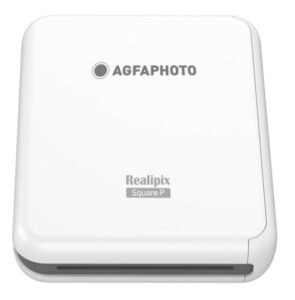
Portable Photo Printer – AgfaPhoto Realipix SQUARE P
Cartridges made for this printer:
- ASQC20 or ASQC30
Other brands?
Xiaomi Portable Photo Printer 1S
The Xiaomi Portable Photo Printer 1S is the more current version of Xiaomi’s pocket photo printer. It keeps the same basic idea: a small, easy-to-carry printer that uses ZINK technology, so you don’t need ink cartridges or ribbons. Prints are made on 2 × 3-inch paper, and the printer connects through Bluetooth.
Compared with dye-sublimation models, image quality remains more limited. You should expect a fun, sticker-style print rather than a highly detailed photo. The advantage is the simplicity: the printer is slim, light, and easy to share, with support for multiple Bluetooth connections and the Xiaomi Home app. It is mainly designed for quick memories, journals, collages, or little decorative prints.
Battery life is still limited compared with larger models, at around 20 prints per charge. The print format is also fixed, so it’s better suited to small creative uses than to more serious photo output.
Clearly, the Xiaomi Portable Photo Printer 1S is mainly about fun, portability, and price. If you want the best image quality, choose dye-sublimation instead. But if you want an affordable, simple, pocket-size printer for casual memories, it remains a very practical option.
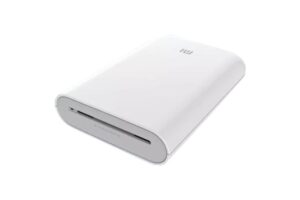
Xiaomi Portable Photo Printer 1S
Paper made for this printer:
- Xiaomi Portable Photo Printer 1S paper
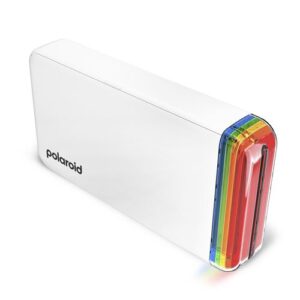
Polaroid Hi-Print 3×3 Photo Printer
Launched in April 2026, the Polaroid Hi-Print 3×3 brings Polaroid’s portable printer range back toward a square format. Unlike classic Polaroid cameras, it does not use instant film. It relies on dye-sublimation technology and produces 3 × 3-inch peel-and-stick prints, which gives it a more modern, sticker-style approach.
Connectivity is handled through Bluetooth and the Polaroid Hi-Print app, available on iOS and Android. The app lets you crop and adjust your photos, add filters, use templates, and prepare prints quickly. One nice detail is the integrated display slot, which lets the printer double as a small photo frame when it’s not in use.
In terms of image quality, the Hi-Print 3×3 is more convincing than many ZINK printers, with punchy colors and a fun square format. It still isn’t a professional photo printer, and some tests mention occasional softness or paper alignment quirks, but for casual prints, events, journals, and decorative memories, it makes a lot of sense.
In conclusion, the Polaroid Hi-Print 3×3 is a fun and current option if you like the Polaroid universe but want a smartphone printer rather than an instant camera. It is easy to use, playful, and more original than the older 2×3 format. Just keep an eye on the cost and availability of the dedicated 3×3 paper.
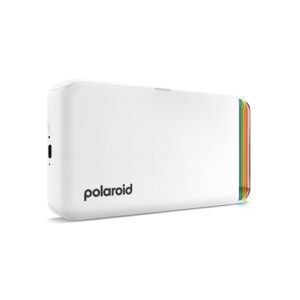
Polaroid Hi-Print 3×3 Photo Printer
Cartridge available for this printer:
Feature summary – mini portable printers
To help you compare mini portable printers, you’ll find a summary table below with the key features of each model. In my opinion, it makes the differences much easier to see—and above all, it should help you choose.
| Model | Technology | Print format | Connectivity | Battery life | Companion app | Estimated price | Highlights | Limitations | Retailers |
|---|---|---|---|---|---|---|---|---|---|
| Canon Selphy QX20 | Dye-sublimation | Square / Credit card | Wi-Fi | 20 prints | SELPHY Photo Layout | €130 | Quality, app, compact design | Paper/ribbon change depending on format |
Amazon |
| Canon Zoemini 2 | ZINK | 5 × 7.6 cm / Round | Bluetooth 5.0 | 20 prints | Canon Mini Print | €125 | Compact, stickers, round format | Lower quality than dye-sub |
Amazon |
| Canon Selphy Square QX10 |
Dye-sublimation | 6.5 × 6.5 cm (square) | Wi-Fi | 20 prints | Canon Selphy Layout | €150 | Good quality, protective coating | Single format, bulkier |
Amazon |
| Kodak Mini 2 Retro |
Dye-sublimation | Credit card | Bluetooth | 20 prints | Kodak Photo Printer | €100 | Retro design, accurate output | Single format |
Amazon |
| Kodak Mini 3 Retro |
Dye-sublimation | 7.6 × 7.6 cm (square) | Bluetooth | 20 prints | Kodak Photo Printer | €100 | Original format, decent quality | Cartridges sometimes unavailable |
Amazon |
| Kodak Mini | Dye-sublimation | Credit card | Wi-Fi + NFC | 20 prints | Kodak Photo Printer | €170 | Lightweight, compact, NFC | Limited app, decent quality | |
| Fujifilm Instax Square Link |
Instax film | 62 × 62 mm (square) | Bluetooth | 100 prints | Instax (iOS/Android) | €125 | AR, QR code, modern design | High cost per photo |
Amazon |
| Fujifilm Instax mini Link 3 |
Instax film | Credit card | Bluetooth 5.1 | 100 prints | Instax mini Link | €110 | Creative, nostalgic, reliable | Less sharp than dye-sub |
Amazon |
| Fujifilm Instax Link Wide |
Instax film | 99 × 62 mm (Wide) | Bluetooth | 100 prints | Link Wide | €140 | Wide format, retro look | Yellowish cast, less accurate |
Amazon |
| Fujifilm Instax Share SP-3 |
Instax Square film | 62 × 62 mm (square) | Wi-Fi | 100 prints | Instax Share | €200 | Square format, vintage look | Unstable connection, no Bluetooth | |
| Agfa Realipix Mini P |
ZINK | 5 × 7.6 cm | Bluetooth | 20 prints | CONVI | €80 | Very compact, stickers, price | Average color rendering | |
| Agfa Realipix Square P |
Dye-sublimation | 7.6 × 7.6 cm (square) | Bluetooth | 20 prints | Not specified | €90 | Square format, accurate output | Cartridges hard to find | |
| Xiaomi Mi Portable Photo Printer |
ZINK | 5 × 7.6 cm | Bluetooth | 20 prints | Mi Home | €70 | Very affordable, ultra-compact | Basic app, limited output |
Amazon |
| Polaroid Hi-Print | Dye-sublimation | 54 × 86 mm (sticker) | Bluetooth | 20 prints | Polaroid Hi-Print | €100 | Fun, fast, nice design | Inaccurate colors, lacks sharpness |
Amazon |
How to choose your mini portable printer?
To go a little further and help you find the mini portable printer that really suits your needs, here are a few extra tips. In my opinion, these are the main points to consider before buying.
1. Dimensions and weight
These are the first specs I would check on a portable printer. Above all, it should be easy to carry, especially if you travel often. Make sure it is light and compact enough to slip into a pocket, or at least into a small, discreet bag.
2. Type of printing
This is another important point to understand. ZINK (Zero Ink) printers, often confused with classic thermal printers, are very compact and don’t require ink cartridges. They use special paper with the color built in. The trade-off is image quality: it is fine for fun prints, but colors are often less accurate.
Dye-sublimation models usually deliver much better image quality, with sharper results, more natural colors, and very good durability.
Finally, inkjet printers are rarer in ultra-compact formats, but they remain very versatile and can offer excellent color accuracy. They are better suited to users looking for more precise photo printing, but you also have to think about ink refills and maintenance.
3. Print quality (DPI)
For good-looking results, it’s important to look at print resolution. It is expressed in DPI (dots per inch) and plays a big role in perceived sharpness. As a general rule, I would prioritize 300 DPI or more when possible.
4. Connectivity
Although most portable photo printers now offer wireless connectivity, it’s still worth checking the available options:
- Bluetooth or Wi-Fi: ideal for wireless printing from your smartphone, tablet, or computer.
- USB: useful as a wired alternative or simply for easier charging.
5. Compatibility
Make sure the printer is compatible with your devices (Android, iOS, Windows, macOS). Some printers require a dedicated app. In most cases, these apps are at least compatible with Android and iOS, but it’s still worth checking before buying.
6. Power supply
There are usually two options:
- Built-in battery: the most convenient choice if you want to print without an immediate power source. Just check the real battery life.
- USB cable or mains power: pay attention to this, especially when you’re traveling or don’t always have an outlet nearby.
7. Supported print formats
Each model offers one or more print formats, and that makes a real difference in everyday use. Check the formats carefully before ordering so they match what you actually want to create.
8. Consumables
Consumables can quickly change the real cost of a printer. I therefore recommend checking both their price, often sold in packs, and their availability, because some papers and cartridges are harder to find than others. Some printers use very specific ZINK paper, while dye-sublimation models need matching paper and ribbon packs. Simply put: consumables give you a much better idea of the real long-term cost.
9. Print speed
A minute or two may sound fast, depending on the model. But once you start printing several photos in a row, the wait can quickly feel long. If you plan to use your printer at events or with friends, print speed is worth taking seriously.
10. Additional features
- Photo printing: as you’ve seen, some models are clearly better suited to photo quality than others.
- Water or fingerprint resistance: you may not think about it at first, but it is useful for outdoor use, travel, and prints that will be handled often.
- Duplex printing: fairly rare on portable photo printers, but it can be useful if the model you are considering offers it.
11. Budget
Since budget matters, start by comparing the price of the printer itself. Then check the cost of paper, cartridges, or film. That is the only way to know whether the printer will still feel affordable after the first few packs of prints.
I’ll stop here for this guide to mini portable photo printers. It’s a little different from what I usually write, but I thought it was worth covering. These accessories are becoming more and more popular, and honestly, it’s easy to understand why. I hope this article helps you choose the model that suits you best.
Among all the printers presented here, I think you should be able to find one that matches your needs. And if you already use a portable photo printer, feel free to share your opinion and experience in the comments. It can always help other readers.
I would also recommend checking out our guide to the best action cameras!
See you very soon for new photo articles,

Written by Sylvain PONS
I've been passionate about photography since 2010, learning as I went along. Today, I dedicate myself to guiding others in their choice of camera gear and sharing a variety of tips to improve their photography skills.
Despite our care, a mistake may have slipped into this article. If you find any, please don't hesitate to let us know so we can correct it as soon as possible and keep our information up-to-date!