The shutter speed or exposure time in photography
Last update: 05/04/2026
Our blog continues to grow thanks to you, our readers. This post may contain affiliate links, which means we can earn a small commission if you make a purchase through them, at no extra cost to you. This helps us to continue to bring you more and support our work!
After discussing exposure in photography, aperture, and ISO sensitivity, I’ll now cover in this article shutter speed, the last parameter of the famous exposure triangle, an essential element to understand how to correctly expose a picture. It is one of the basics when learning photography. If you bought a DSLR, it is to get out of automatic mode, isn’t it?
This is a very important parameter in photography because it will be the cause of many mistakes when you’ll start taking pictures. It’s mainly because of this that you’ll say: “but I don’t get it, my picture is blurry, right !? »
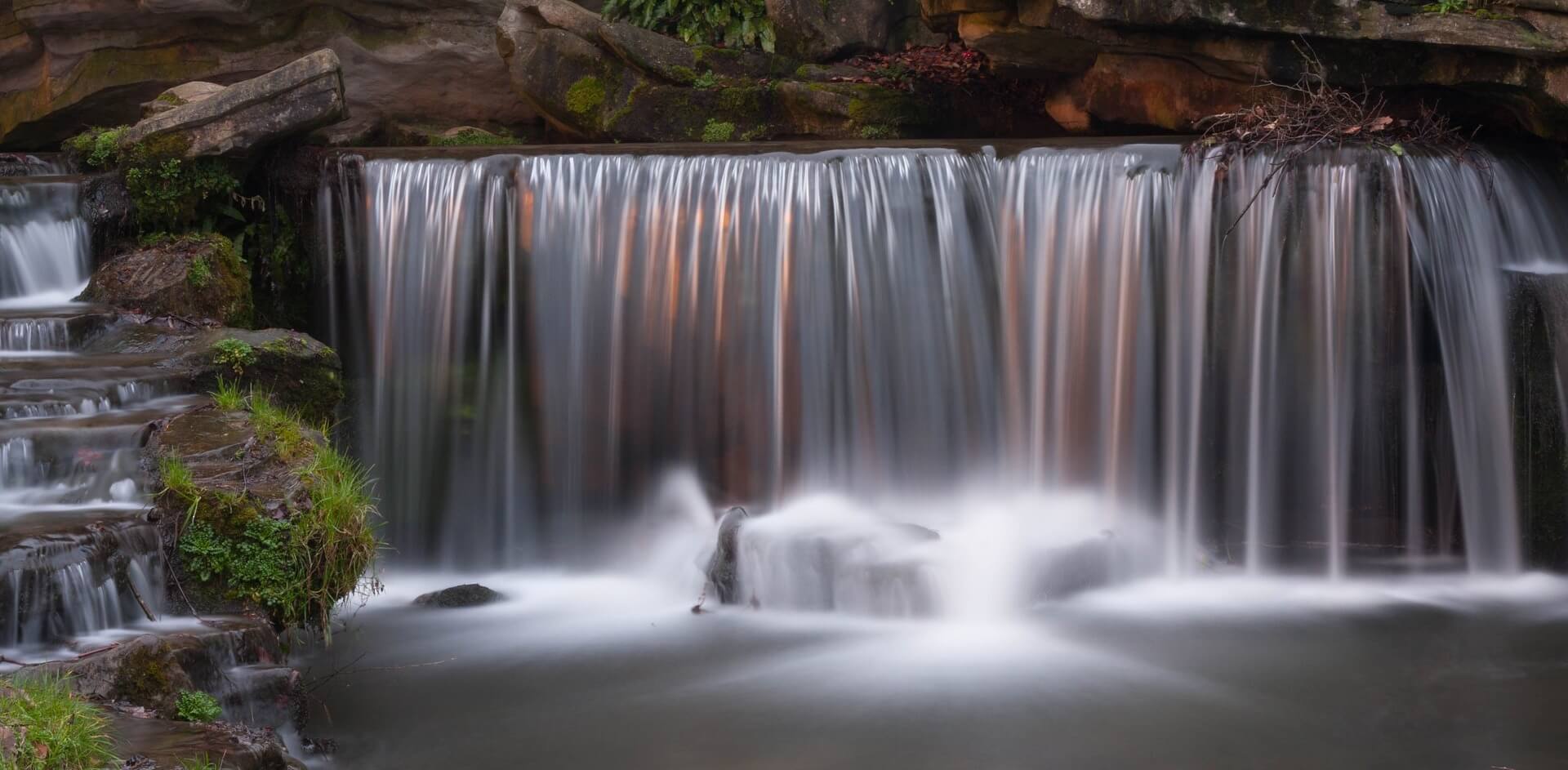
Indeed, the shutter speed will allow you to either freeze a scene, an action (sports picture for example), or on the contrary to realize long exposure times (long exposure photography) and to give a stylistic effect to your photos.
What is shutter speed and how does it work?
The shutter speed characterizes the exposure time during which the shutter of your camera opens and lets in light into the sensor. To put it simply, it is the length of time during which the light enters your camera. It’s a bit like closing the blinds for a longer or shorter period of time to light up a room. The more this light will be important (long exposure time), the brighter the picture will be (without changing the other parameters). We’ll talk about it later.
On your camera, this shutter speed is expressed in fractions of seconds or in seconds. Here are the standard speeds used on the majority of DSLR/Mirrorless cameras.
30 sec – 15 sec – 8 sec – 4 sec – 2 sec – 1 sec – 1/2 sec – 1/4 sec – 1/8 sec – 1/15 sec – 1/30 sec – 1/50 sec – 1/80 sec – 1/125 sec – 1/250 sec – 1/500 sec – 1/1000 sec – 1/2000 sec – 1/4000 sec – 1/8000 sec
Simply speaking, the larger the number behind the 1/ will be, the faster your photo will be shot. Also remember (we already saw it together in the article on aperture in photography): when you double a parameter of the exposure (shifting one stop), this parameter is then either doubled or divided. Here, a shutter speed of 1/500 will be twice as fast as a shutter speed of 1/250.

Shutter speed, how to set it?
To make it simple, you have two real possibilities to influence your shutter speed. A third semi-automatic technique is also possible. You can use:
The ``shutter speed priority`` camera mode
Often referred to as Tv or S, this mode available on all DSLR/mirrorless cameras allows you to choose the desired shutter speed. Concretely, you will use it if you want to set a particular shutter speed for a scene or an action. For example, if you want to freeze the movement of a flying bird, it will sometimes be necessary to use a minimum shutter speed of 1/2000. You can then set it on your camera so it will adjust the other parameters (aperture and ISO, if you have left them set to automatic). You usually use this mode when you absolutely want to use fast shutter speeds. For example, it is useless on landscape photography. Want to know more about ISO sensitivity?
On the other hand, you don’t handle the aperture of your lens which will mainly influence the possibilities of background blur (the bokeh).

Manual camera mode
This is the most delicate mode to use on a camera, and I don’t recommend it as long as you don’t control yet the three parameters of the exposure triangle and their interactions. In this mode, you just have to set the desired shutter speed with the dial.
Be careful however, remember that all the parameters are related and you will have to compensate by modifying the ISO or the aperture. Without any modification, depending on the shutter speed, your photo may be overexposed (shutter speed too slow, picture too bright), or underexposed (shutter speed too fast, picture too dark). Simply put, you cannot change the shutter speed alone without affecting the overall exposure of your photo. So, you need to understand how to change ISO and aperture, and what the consequences are on your picture. I let you refer to the two articles I wrote!
Aperture priority mode
Finally, the last mode allowing you to influence the shutter speed: the aperture priority mode, often abbreviated Av or A. In reality, you can’t really choose the shutter speed but rather influence it by changing your aperture.
Thanks to the Av mode, you will be able to choose your aperture and, assuming your ISO is set to auto, the camera will automatically adapt the shutter speed to balance the exposure of your picture.
Example: you had f/5.6 and 1/250, but your picture is still blurred (for example in the case of a fast-moving subject). You can decide to open your diaphragm a stop (for example from f/5.6 to f/4). In this case, remember that you let in twice as much light. To compensate, the camera will shoot twice as fast, at 1/500. You get the idea – if that’s still not enough, you can stop down to f/2.8, and the camera should take at 1/1000 now.


Examples of scenes where I used the Av mode to control the shutter speed (and to blur my background)
A shutter speed too low: motion blur and camera shake
Having seen and understood what shutter speed is and how we use it on our camera body, I’ll now explain the downside of using a too low shutter speed when shooting. Understand that if you use a too low shutter speed, you may get a blurry picture, at least (with a tripod you can do whatever you want…).
Camera shake
It is simply the result of a blurred picture mainly due to the photographer, and not to the scene you are shooting (next paragraph). I could mention several scenarios:
- You moved during the shot and your shutter speed was too slow,
- You are in low-light conditions (morning/evening), don’t have a tripod and the conditions don’t allow you to shoot handheld: your photo is blurry,
- You are using an unstabilized lens, which removes 2 to 4 stops of stability (theory),
- Finally, you are using a long focal length (ex: 300mm) and the chosen shutter speed is too low in relation to this focal length. The general rule is to capture the image at least at the shutter speed equivalent to the focal length (Ex: for a 300mm, 1/300 at least – It also depends on the size of your sensor).
Keep in mind that most of the time (it depends on you and the focal length used), you will have trouble getting sharp photos below 1/50th.
Motion blur
This last one is different from the previous one as it is not the consequence of the user, but indeed of the scene in front of you. It can be a passer-by walking in your picture, a bird passing in the sky, or an animal too fast for the chosen shutter speed. In short, you either have a subject too fast compared to your shutter speed, or conversely, the shutter speed chosen is too slow compared to the speed of your subject.
Be aware that some pictures (wildlife or flying airplane, antelope running on safari, etc.) necessarily require a high shutter speed, often higher than 1/1000th, or even 1/2000th.
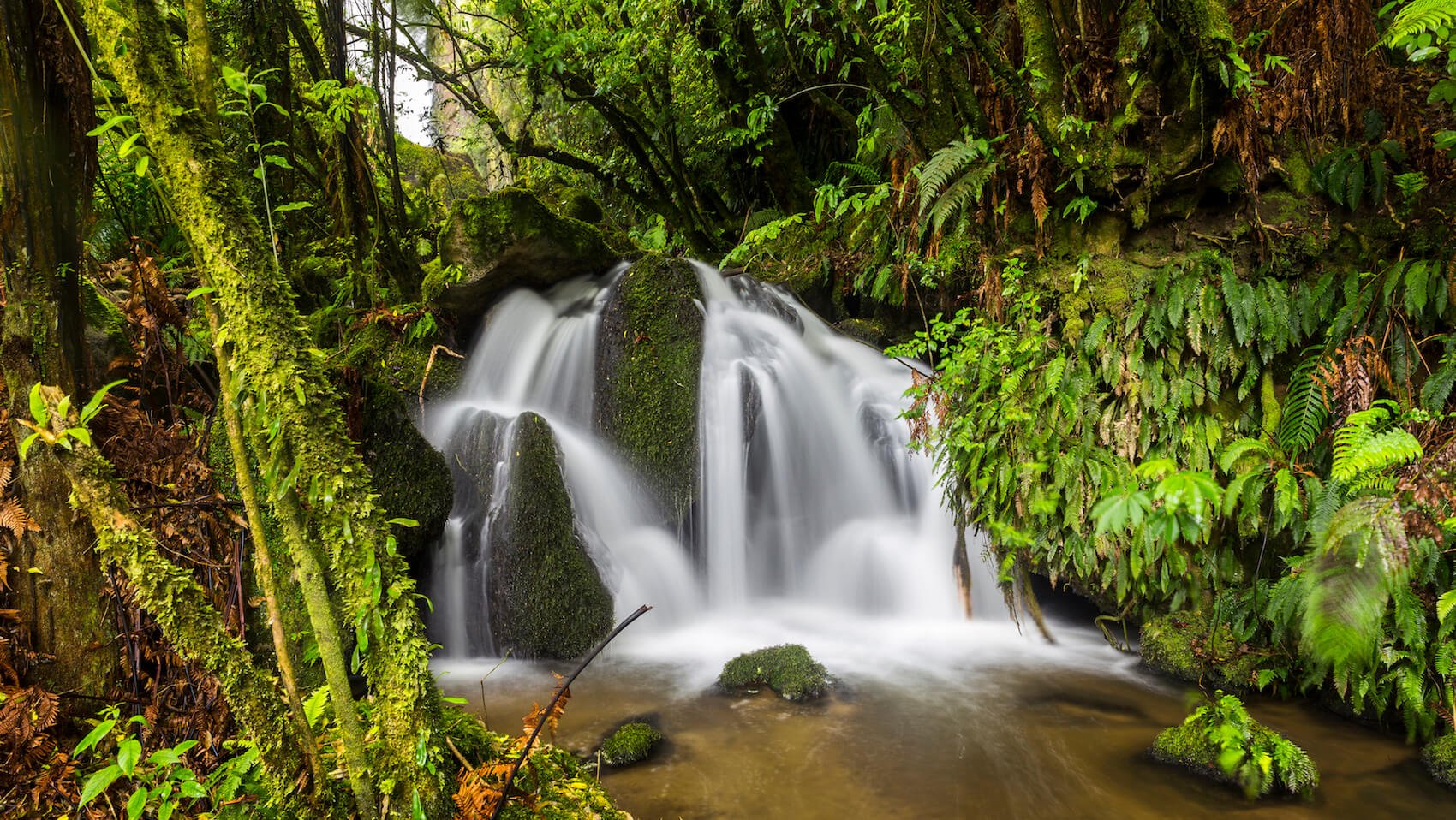
You may also want to give an impression of movement to your scene by taking a slower picture (like for a passer-by walking or a running waterfall). In this case, you will have to use a slower shutter speed.
Relation Shutter speed / Aperture / ISO
As mentioned in the article on exposure in photography, you should now have understood that the 3 parameters (ISO, aperture and shutter speed) are therefore closely related. It is impossible to change one of them without influencing the image result.
The main thing is to understand in which case you will have to use a slow shutter speed, or a fast one, and what effect this will have in your picture.
In some specific situations, you will have no choice but to use a fast or even very fast shutter speed to capture the movements of your scene. I’m thinking mainly of wildlife photographers (safari, bird, etc.). Most certainly, a shutter speed of 1/1000 or more will be necessary. You have several possibilities here.
- You can use the Tv mode (shutter speed priority) and set your exposure time to 1/1000. The camera will adjust its aperture according to the selected shutter speed. Depending on the light, the camera will display a large aperture to compensate for the loss of light. I remind you that the faster you take a picture, the less light comes in. It is possible, for example, that you reach the limits of your lens here – meaning that once the maximum aperture of the lens is reached (for example f/4), you will have no choice but to increase the ISO. Every time you double ISO, you will be able to shoot twice as fast.
- It’s a bit like using the Av mode to force the camera to blur your background. A typical example is to want to highlight an animal on a blurred background. You will then set the maximum aperture of your lens (say f/4). The camera will automatically calculate the associated shutter speed. If it is enough, you will be able to shoot. If the photo is blurred because of the animal going too fast, you will have no other option than to increase the ISOs by one stop to double your shutter speed.
f/4 ISO 200 1/1000
OR
f/2.8 ISO 100 1/1000
OR
f/2.8 ISO 200 1/2000
As a reminder, these three parameters will be identical from the exposure point of view. The differences will simply be based on the fact that at 1/2000, you are less likely to have a blurry picture than at 1/1000.
Creative effects with shutter speed
This is the last important point to understand about shutter speed in photography. This parameter remains, with the aperture, the one allowing you to offer creative effects for your photos. There are 3 interesting concrete cases when playing with shutter speed:
Freeze the movement of a scene


Examples of scenes where a fast shutter speed was required (flying birds on the left or dancers on the right)
This is obviously the first thing that comes to mind. If you want to freeze a specific scene, it’s this parameter that you’ll have to pay attention to. Entry and mid-range cameras offer maximum shutter speeds of 1/4000, while professional cameras go up to 1/8000.
Doing a panning
This is a particular technique which I do not fully master (I admit). The idea is to use it on a fast-moving subject (racing car, bicycle, etc.) and with a relatively low shutter speed (most of the time between 1/30th of a second and 1/125th) in order to create dynamism on a moving subject, by getting a background that is not blurred as such but rather gives an impression of motion. This technique is mainly used for car racing. When I’ll perfectly master this technique, I will give you a tutorial on how to do a perfect panning.

Long exposure
Last but not least creative effect: the long exposure. This is surely what interests most people, especially nature and landscape photographers. This technique allows, by increasing the exposure time (therefore a slower shutter speed), to get extraordinary creative effects on subjects who lend themselves to. To name only the most adapted to long exposure: waterfall, sea, clouds, merry-go-round, stars.
The exposure can be relatively slow (a few fractions of a second), medium (a few seconds or ten seconds), or even very long (several minutes). However, this photographic technique requires a minimum of learning and equipment (ND filter, remote control, tripod, etc.). Would you like to know in detail how to shoot a long exposure?

I’m coming to the end of this article on shutter speed. I hope you liked it and that it was not too technical! You now hold all the cards to master the famous exposure triangle. If you missed it, I invite you to read the article about aperture in photography, to complete your understanding of the concept.
See you soon for another article on the basics in photography. Details on depth of field, white balance, difference between APS-C/Full Frame, etc. should follow.
Until then, good learning. If you have any questions about the article, if you want to exchange or make things clear, don’t hesitate to leave a comment at the bottom of the article!

Written by Sylvain PONS
I've been passionate about photography since 2010, learning as I went along. Today, I dedicate myself to guiding others in their choice of camera gear and sharing a variety of tips to improve their photography skills.
Despite our care, a mistake may have slipped into this article. If you find any, please don't hesitate to let us know so we can correct it as soon as possible and keep our information up-to-date!